
Loading...
Blog-Image-002
Blog-Image-res
Oct 22 Posted by Himanshu Chellani

How To Make a Website Secure In 2025: From SSL to AI-Powered Threat Detection

Data breaches are reaching new heights, resulting in over $4 million in losses. Therefore, website security checks are crucial for protecting your business and data. If you are thinking about your website’s safety in 2025, you are not alone. Many website safety checker tools perform daily website safety checks. Each time they scan, they find that threats are not going away.


Owasp Top 10


To protect your website now, you must go beyond SSL. You need AI-driven tools that detect threats. You also need to perform regular tests, run malware scans, have a firewall in place, and be familiar with the OWASP Top 10.

It doesn’t matter if you build websites, run a small agency, or own a large tech company. Everyone needs to understand what keeps a site safe. Whether your business is small or operates on a large scale, keeping your site secure is no longer just a choice. It is something you must do.

This guide will outline the key aspects of website security checks, tested methods for staying secure, and how AI is playing a larger role now.
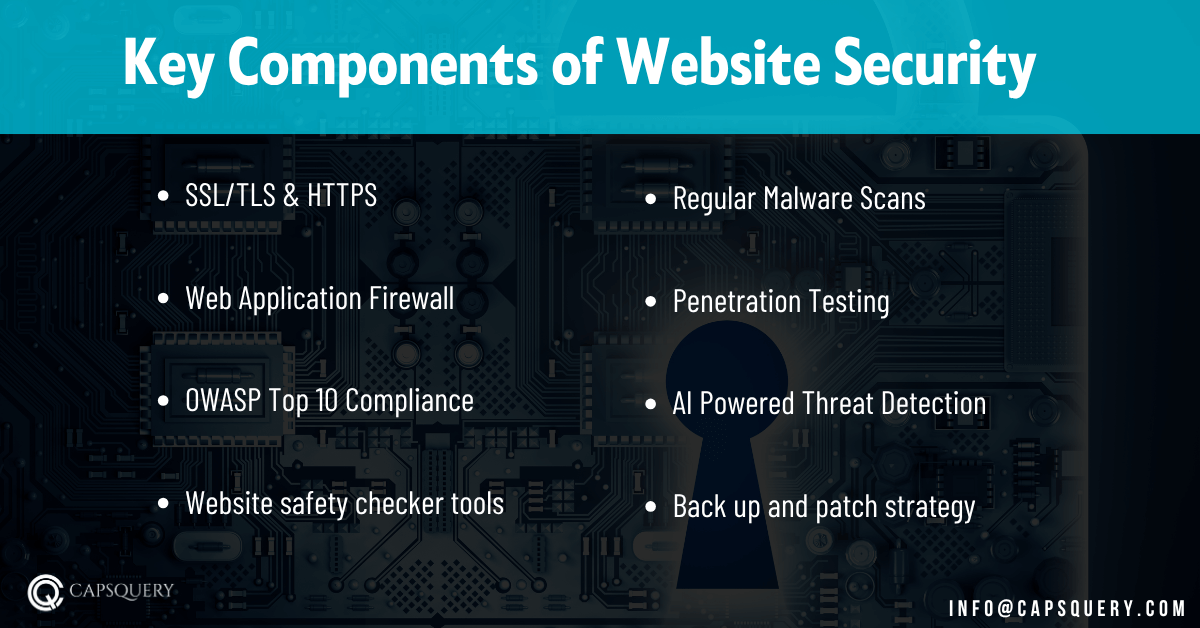
Key Components of Website Security


Website Security Check


Here’s what you need in a full security setup:

  • SSL/TLS & HTTPS – These encrypt data when it moves between users and your server. It also builds user trust.
  • WAF (Web Application Firewall) – Stops threats by blocking dangerous requests.
  • OWASP Top 10 compliance – Protects from things like injection and broken access control.
  • Website safety checker tools – These scan your site for malware or other issues.
  • Regular malware scans – Help catch hidden infections early.
  • Web application penetration testing lets you find weak spots by simulating real attacks.
  • AI-powered threat detection – Uses behavior checks to find strange patterns.
  • Backup and patch strategy – Keep things up to date and back them up in case something breaks.


15 Effective Ways to Boost Your Website Security

Below we have covered effective ways to boost your website security:
  • Install an SSL Certificate & Security Plugins

Best Website Development Company in California


If your website still runs without HTTPS, you are exposing users to danger.

  • SSL ensures that data remains private between your website and the visitor.
  • It enhances your website’s trustworthiness and SEO.
  • Browsers now label non-HTTPS sites as unsafe.


You also need useful plugins:

  • Wordfence – Adds firewall, scan, and login security.
  • Sucuri Security – Scans your server and fixes malware issues.
  • All-In-One WP Security & Firewall – Works well for full WordPress site protection.


If you choose a leading Software Development Company, they will take care of SSL certifications and security plugin complications.
  • Use a Web Application Firewall (WAF)

Best Web Design Company in Texas


A WAF checks all requests coming into your website. It blocks harmful ones before they cause damage.


What it does:

  • Stops common web threats, such as XSS and SQL injection.
  • Helps stop DDoS attacks.
  • Prevents bots from attacking your login pages.


Recommended tools:

  • Cloudflare WAF
  • Sucuri Firewall
  • Astra Security WAF


Combine WAF with regular penetration testing for deeper protection. Choose the Best app companies for startups and outsource the entire website and app security tasks to experts.
  • Enable Two-Factor Authentication (2FA)


Best Website Designing Company in Cupertino


Passwords are easy to steal. In 2025, two-factor authentication (2FA) is a must.


What it prevents:

  • Stops most break-ins caused by stolen passwords.
  • Adds a second step after the login page.


Tools you can use:

  • Google Authenticator
  • Authy
  • Duo Mobile


Where to apply 2FA:

  • Admin logins
  • CMS dashboards
  • Domain-linked emails


  • Run Regular Backups


Best Web Design Company in California


If your site goes down, and you have no backup, you are stuck.


What to do

  • Enable the daily or weekly automatic backups.
  • Keep backups on the cloud or offsite.
  • Test the restore process to understand it is functional.


Helpful plugins:

  • UpdraftPlus
  • VaultPress
  • BlogVault


You should never forget to back up your files, as well as database.
 

  • Encrypt Sensitive Data

Secured AI Website


Any user data should be encrypted, whether stored or transmitted.


How to secure it:
  • Use SSL for sending data.
  • Encrypt databases using AES.
  • Use bcrypt or Argon2 to store passwords rather than plaintext.


  • Use Strong Password Policies


Website Development Company in New York


Your entire site may be compromised with a weak password.


Steps to take:
  • Force complex passwords.
  • Use at least 12 characters.
  • Block repeated login attempts.
  • Recommend password managers like 1Password or LastPass.


  • Keep CMS, Plugins, and Themes Updated

Top Web Design Company in India


Old plugins are weak points that hackers can use.


Why updates matter:

  • Older code often has known bugs.
  • CMS platforms like WordPress release patches often.


Best steps:

  • Use auto-update if it is safe.
  • Test updates on a staging version.
  • Remove plugins or themes you do not use.


  • Use Website Safety Check Tools


Website Security Tools


Manual checking is not enough anymore. Use tools that monitor everything for you.


Useful tools:

  • Google Safe Browsing
  • Sucuri SiteCheck
  • Qualys SSL Labs


These tools:

  • Detect malware
  • Check for old scripts
  • Verify SSL is working


Run these scans weekly or more often if you change things.
 

  • Regularly Scan Website for Malware

Best App Companies for Startups


Malware often hides in plain sight. It can stay quiet while doing harm.


What you should do:

  • Use scanners like MalCare or Quttera.
  • Turn on daily automatic scans.
  • Run server-level scans for deeper checking.


Watch for:

  • File changes
  • New users with admin roles
  • Code injections


  • Choose a Reliable Hosting Platform

Top Web App Development Company in India


A weak server makes even the best website unsafe.


What to check for:

  • Free SSL and a firewall
  • DDoS protection
  • 24/7 monitoring
  • Frequent server updates


Top hosting platforms in 2025:

  • Kinsta
  • Cloudways
  • SiteGround


  • Keep Security Subscriptions Updated


python e-commerce AI services in Cupertino


If your licenses expire, your protection disappears.


What to renew:

  • Antivirus and firewall tools
  • SSL certificates
  • Paid Cloudflare plans
  • Backup plugin licenses


Enable auto-renewal where possible to minimise downtime.
 

  • Secure Admin URLs and Limit Access


Application Development for Small Business


Changing your admin page URL won’t stop every threat, but it helps.


What to do:
  • Rename admin login URLs.
  • Allow login only from known IP addresses.
  • Use role-based access, so only trusted people can make changes.


  • Delete Unused Plugins and Themes


Software Development Company


Even inactive plugins can be risky if they’re old.


Why delete them:

  • Keeps your code clean.
  • Removes unpatched weak points.
  • Speeds up your website.


  • Secure Your Domain


Secured Website


A stolen domain makes your site disappear.


Steps to secure it:
  • Lock the domain to stop transfers.
  • Enable DNSSEC.
  • Use a registrar with WHOIS protection and 2FA.


  • Create User Access Levels


Top Website Application Development Company in Dallas


Letting everyone do everything is a bad idea.


How to manage users:

  • Assign access by job role.
  • Use levels like Editor, Admin, or Developer.
  • Remove access for former workers or freelancers.


Keep track of actions using dashboard logs.

AI Techniques for Website Threat Detection

Implementing AI and automation enhances website security, resulting in savings of over $2 million. AI tools are now helping websites stay safer by finding threats early.


AI e-commerce development in Houston TX


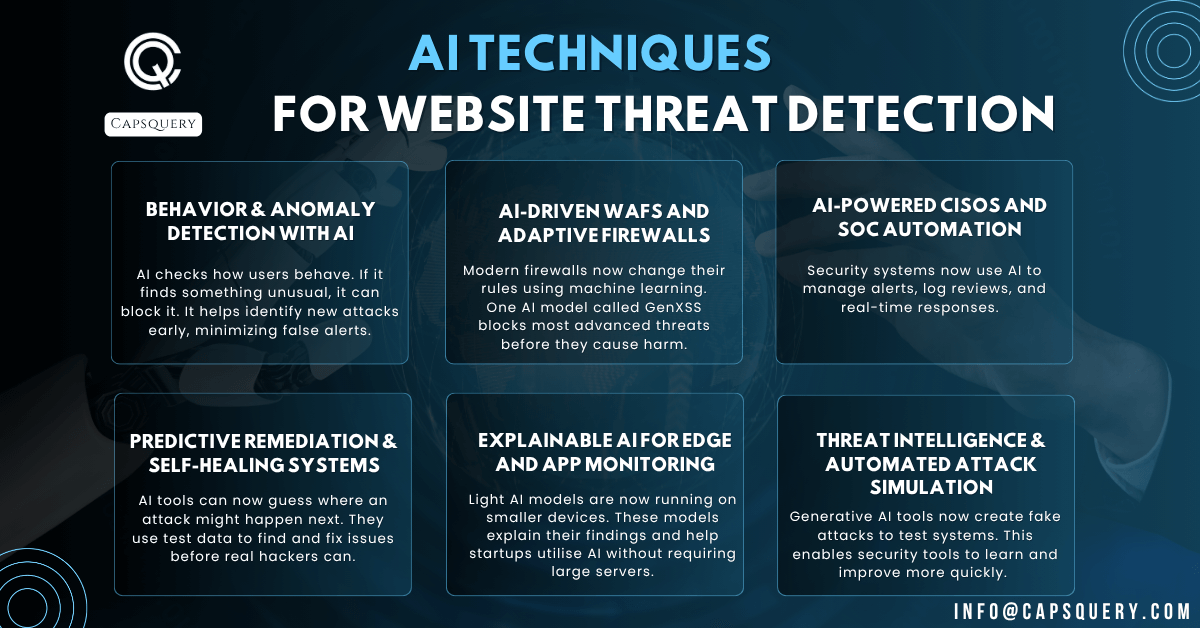
Behavior & Anomaly Detection with AI

AI checks how users behave. If it finds something unusual, it can block it. It helps identify new attacks early, minimizing false alerts.

AI-Driven WAFs and Adaptive Firewalls

Modern firewalls now change their rules using machine learning. This helps them block more types of attacks as they evolve. One AI model called 

GenXSS blocks most advanced threats before they cause harm.

AI-Powered CISOs and SOC Automation

Security systems now use AI to manage alerts, log reviews, and real-time responses. Tools like Microsoft Sentinel combine several tools to automate the tasks of an entire team.

Predictive Remediation & Self-Healing Systems

AI tools can now guess where an attack might happen next. They use test data to find and fix issues before real hackers can. Many businesses now use this to stay one step ahead.

Explainable AI for Edge and App Monitoring

Light AI models are now running on smaller devices. These models explain their findings and help startups utilise AI without requiring large servers. It’s useful for small dev teams.


Threat Intelligence & Automated Attack Simulation

Generative AI tools now create fake attacks to test systems. This enables security tools to learn and improve more quickly. It keeps rule sets updated without manual input.


Conclusion

Website security in 2025   needs a full plan. That plan must include SSL, WAF, scanning tools, backups, access control, and advanced AI systems.


If you are working on Application development for small business or managing sites for others, security is part of your job. Run scans often, test for known problems like OWASP Top 10, and combine human testing with machine learning.


Such protection will make your site safe, credible and prepared for the next step. Concerned about your website security? It’s time to reach out to the best web development company and experience the magic of advanced security that keeps your digital footprint safe.

 

Dedicated Web Development Service


FAQ

No. AI helps identify issues more quickly and reduces false alarms. But you still need manual tests, WAF tools, and full website checks.
Once a week or more. You can also conduct a thorough test after major updates. Continue checking WAF logs and scanning your site against known threats.
These are still the most common web threats. Even new problems often fall into these categories. They help guide security plans and tool checks.

Leave a Reply

Your email address will not be published. Required fields are marked *

Contact us for a quick consultancy

Website Development | Mobile App Development | Application Development

Contact Us

I'm a software consultant. I've 7+ years of industry experience. I'd love to connect with you and brainstorm your custom software needs. It's my responsibility to find you the best solution.

ANAND GUPTA

Drop your details and we'll get in touch with you within 12 hours.

Reach us for

  • Website Development
  • Mobile Application Development
  • Machine Learning
  • Custom Software Development
  • Application Development

Talk to us