Feb
19
So, what happens when an employee records attendance but does not even show up at the workplace? What will be the outcome when most workers report on time, yet productivity remains unchanged?
What is the impact of spending long hours by HR teams rectifying their missed records, incorrect timings, and pay-related cases?
All organizations, whether factories, schools, hospitals, or corporate offices, face a similar problem: accurate attendance tracking. This is precisely where the attendance management systems come in. Rather than relying on paper registers, punch cards, or manual entries prone to frequent errors, businesses now have a single system that integrates CCTV cameras, biometric devices, and HRM software into a seamless, automated process.
This article outlines what HR managers, administrators, and business owners should know about how these systems work, why they are necessary, and how they enhance daily attendance management.
The smart attendance management system is designed to track time, verify physical presence, and process human resources. This system delivers accurate, verifiable attendance records by integrating timekeeping tools such as Clockify, Verkada security cameras, and HRM software, rather than relying on a single device or software.
Most time-tracking systems allow employees to mark attendance. Video surveillance cameras installed at entry and exit points capture time-stamped visual records to verify physical presence. As a result of this data, HRM software generates payroll-ready attendance reports, manages shifts, and maintains compliance with employment laws.

Smart attendance ensures:
Accurate check-in and check-out records
Reduced proxy attendance and misuse
Automated payroll-ready reporting
Clear audit trails for compliance
Centralized attendance visibility across locations
By eliminating common issues like buddy punching, forged entries, and missing records, this approach is superior to manual registers or spreadsheets. Managing people and operations is more important to HR teams than fixing errors.
As an organization grows, compliance requirements become more complex, and operational complexity increases, attendance setups will change.
Many attendance systems are based on time-tracking systems. The employee logs their check-in and check-out times on a tablet, desktop, browser, or mobile device. The use of tools such as Clockify to track work hours, shifts, and event attendance is widely accepted.
Attendance records are effective in these systems, but they do not verify the employee’s physical location. To improve attendance reliability, many time-tracking systems integrate with security cameras or HRM software.
Using security cameras, such as Verkada cameras for Helix events, attendance is verified. Using camera footage alongside time-tracking systems supports attendance verification and audit requirements.
Attendance is not automatically marked by these systems. In contrast, they enable attendance verification by capturing time-stamped images of employees entering and leaving the workplace. A camera footage audit trail is stronger when it is linked to attendance events.
Best suited for:
Card-and-PIN systems are easy to deploy, but prone to misuse. In combination with security cameras, they are used by many organizations to improve accuracy and reduce buddy punching.
The system allows you to track time, verify attendance, and process HRM data simultaneously. Ideally, this solution is suited for enterprises with multiple locations.
The best attendance systems have components that perform specific roles and are integrated through well-defined connections. It is not one tool that provides intelligence, but rather how data flows between them.
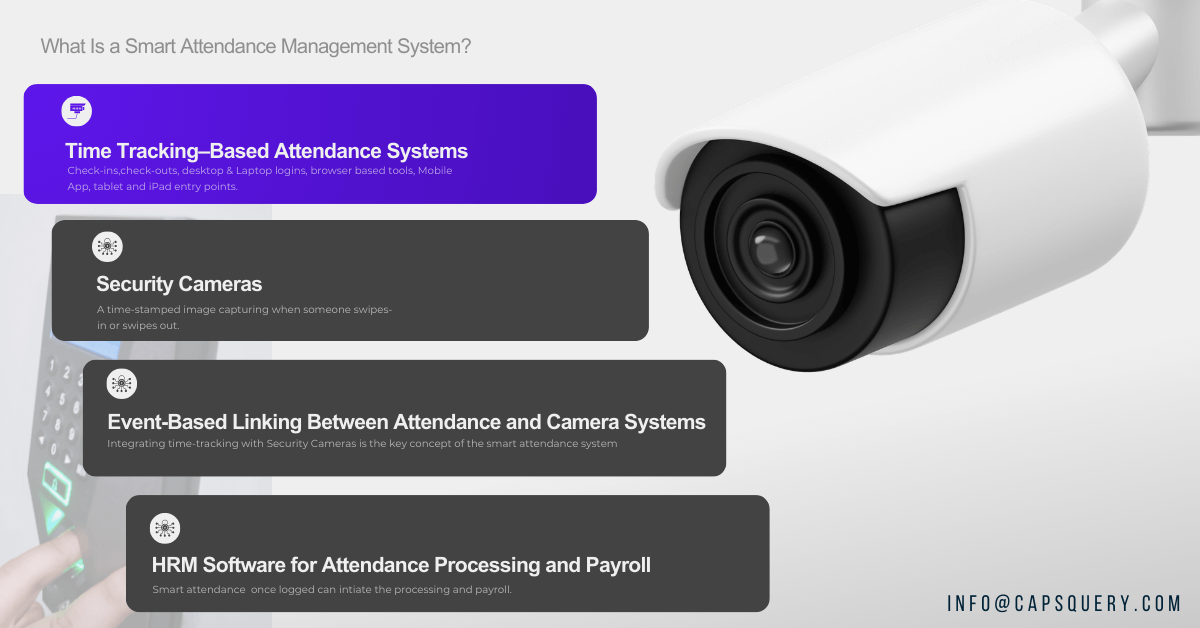
A time tracking system records action such as check-ins and check-outs. Mobile applications, tablet and iPad entry points, desktop and laptop logins, and browser-based tools are commonly used by employees to record attendance.
A popular example is Clockify, which helps organizations track work hours, shifts, and attendance. These devices can capture employees’ check-in and check-out times. The problem is that they cannot verify physical presence, so integrating with security cameras becomes essential.
Time tracking systems provide:
Reliable attendance timestamps
Shift and work-hour tracking
Attendance data for HR and payroll systems
The installation of security cameras at entrances, exits, or kiosks ensures that employees are present at those locations. A time-stamped image or a short video clip is captured when someone enters or leaves the building.
These purposes are commonly served by enterprise-grade security camera systems such as Verkada. They do not record attendance, but verify whether the person who checked in was present.
Integrated with attendance software:
Attendance is verified with camera footage
Proxy or off-site check-ins are reduced
HR teams gain a visual audit trail
Compliance checks have become easier.
Verification is based on an event-driven approach rather than on unproven real-time tracking claims.
Integrating time-tracking tools with security cameras is the real value of a smart attendance system.
The security camera platform can be triggered by an event in a time-tracking system, such as Clockify, such as a check-in or check-out. Using features such as Helix, available in systems like Verkada, attendance events can be linked to images or videos captured during those events.
This allows organizations to:
Visually record attendance events
Utilize attendance data to search camera footage
Keep structured audit logs
Faster investigation of attendance-related discrepancies
Object detection is not real-time. An enterprise-ready, auditable, and controlled event-driven workflow.
Once attendance is logged and presence verified, HRM software becomes the processing layer. A payroll-ready report is generated when attendance data is consolidated, and leave and overtime rules are applied.
When properly integrated:
Minimizing attendance mismatches
The number of salary disputes is reduced
Multi-branch attendance is managed centrally
Compliance reporting becomes simpler
A modern HRM system relies on accurate input data. Without manual intervention, organizations can create a complete attendance workflow by integrating time tracking, camera verification, and HRM processing.
The smart attendance management system is not only about counting who came in and who left the office. It is a comprehensive workforce-tracking system focused on precision, composition, payroll readiness, and location visibility. Regardless of whether an organization has an office, factory, warehouse, school, or hospital, the appropriate system helps HR departments automate routine procedures and reduce the time required to correct attendance record errors.
The following are the key characteristics any current attendance management system must offer, defined in a way that is easy for HR managers and business owners to understand.
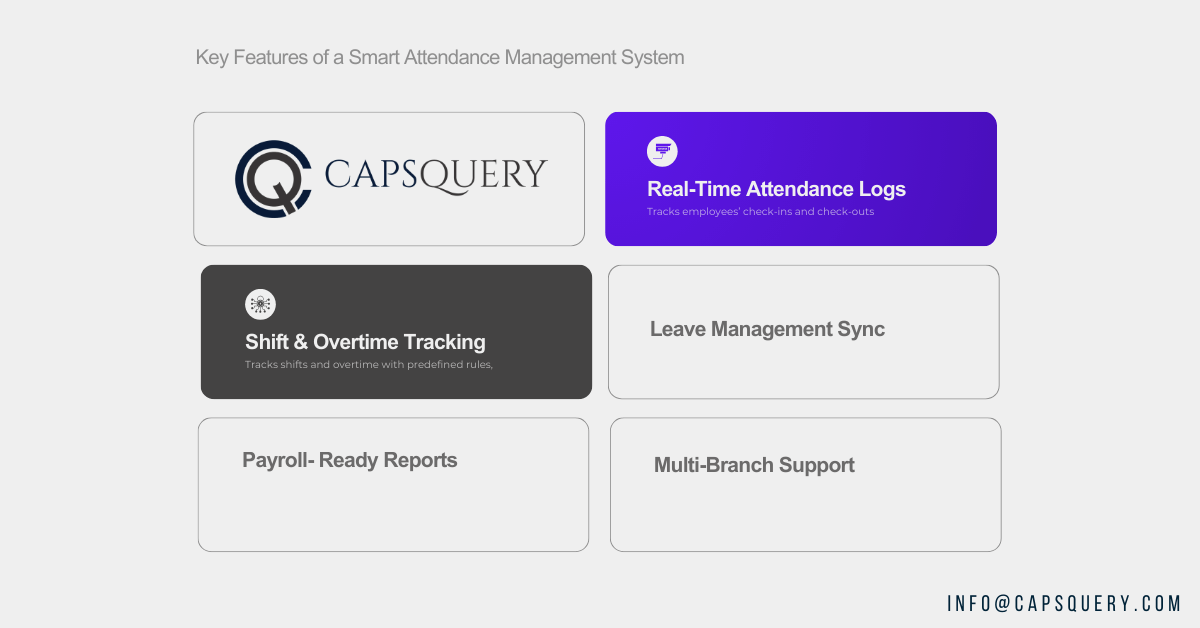
The attendance management system is a smart system that tracks employees’ check-ins and check-outs in real time. This generates live attendance records that HR departments can access from anywhere. This aspect helps HR quickly identify those who arrive late, leave early, exhibit absenteeism, and show anomalous trends.
In organizations with many branches, real-time visibility enables central control, avoiding the need to wait until the end of the day to receive reports. HR managers can quickly monitor the attendance of office personnel, shift employees, and field personnel.
Key Benefits:
Organizations that operate outside normal working hours, such as factories, warehouses, hospitals, and BPOs, must implement shift and overtime tracking. The attendance management system is a smart system that automatically logs shift start times and counts overtime in accordance with predefined rules.
It clearly distinguishes between normal working hours, additional working hours, and night shifts. This eliminates manual calculations and minimizes payroll controversy. HR departments will be able to issue shifts and rotations, and also maintain compliance with labor laws.
Why It Matters:
A modern attendance management system connects directly with leave management modules. The system also automatically changes attendance records when an employee is granted leave by the HR. This eliminates the need for manual leaf marking. It eliminates incorrect absences, payroll mix-ups, and salary deductions. The system allows employees to review their leave balances and request leave, as well as track approvals, whereas HR ensures up-to-date, accurate attendance records.
Core Advantages:
Payroll-ready reports are among the most crucial features of an intelligent attendance management system. The system can automatically generate all records in structured reports, eliminating the need for HR teams to manually gather attendance data via biometric machines, spreadsheets, or registers. These reports include total working hours, overtime hours, leave deductions, shift changes, and attendance records.
Key Outputs Include:
This ensures payroll processing stays smooth and error-free.
Companies with multiple business offices or locations need centralized attendance tracking. An intelligent attendance management system will enable HR departments to view attendance across all branches in a single dashboard. The attendance machine at each site may be a biometric system, a card system, or a CCTV system, although all data are synchronized with a single system.
A smart attendance management system is applicable across many industries because most sectors face similar attendance challenges. These include late arrivals, proxy attendance, shift confusion, manual data errors, and payroll mismatches. Whether the organization is a school, warehouse, IT office, or hospital, accurate attendance data is necessary for compliance and smooth operations.
Corporate offices and IT companies depend on accurate attendance records to calculate working hours, overtime eligibility, and leave deductions. A smart attendance management system reduces manual follow-ups for missed entries and connects directly with HRM software. This ensures payroll accuracy every month. The system also supports hybrid work environments by recording remote attendance through mobile check-ins while keeping on-site attendance aligned with biometric or CCTV records.
Most factories and warehouses tend to operate on shifts, which complicates attendance tracking. An intelligent attendance management system helps control attendance for blue-collar employees, prevent buddy punching, and schedule rotations. It automates overtime calculations and builds adequate attendance records needed during audits. This is particularly relevant to industries with large numbers of employees and those that enforce strict labor compliance standards.
Attendance management systems are used in schools and colleges to monitor students’ attendance and faculty working hours. Smart attendance systems ensure that the teacher’s check-in is recorded and that students’ attendance is updated regularly. These systems also enable the institutions to control various classrooms, departments, or campuses using just a single dashboard; thus, attendance tracking is better organized and reliable.
Clinics and hospitals demand permanent staffing and proper shift beyond these. Attendance of doctors, nurses, and support staff who work on rotating shifts is recorded by smart attendance management systems. The system helps track night shifts and overtime, and provides real-time reporting. This assists hospital HR teams in ensuring appropriate staffing and preventing payroll problems.
Attendance requirements vary by area, as there are no uniform labor rules and the number of employees and operational structure differ by area. Smart attendance management systems are flexible, meet local requirements, and serve the organization’s needs.
Organizations in Cupertino, particularly those that are technology-oriented, would like smart attendance management systems that do not interfere with HRM software. These systems help automate workforce operations and reduce manual work.
They favor hybrid working patterns because they assume remote workers can check in using mobile devices, but provide biometric or CCTV surveillance for on-site workers.
A biometric attendance system coupled with CCTV checks is the practice in Dallas-area organizations to ensure proper attendance tracking. Numerous companies have warehouses, logistical facilities, and company offices, which is why real-time attendance tracking is significant.
Smart attendance enables Dallas-based companies to manage distributed teams, verify employee presence, and maintain accurate attendance logs across different sites.
There are many industrial, healthcare, and large-scale service organizations in Houston. Such industries depend on attendance automation to manage large numbers of employees and shift-based work.
Integrated attendance systems in HRM help track contractors, permanent employees, and rotating shifts without human intervention. This enhances accuracy and minimizes payroll-related problems.
The biometric attendance systems in India are rapidly embraced due to their low cost, high reliability and low maintenance. Industries such as IT, manufacturing, education, and healthcare rely on automated attendance to avoid proxy attendance and simplify payroll processing. Intelligent attendance systems also contribute to the observance of labor laws and make the routine HR work easier.
In Kolkata, organizations generally adopt a mix of biometric-based attendance and card-based systems, connected to cloud software. This method is both accurate and cost-effective. Easy installation, centralized attendance tracking, and seamless integration with HR processes are advantageous for offices, educational institutions, and small businesses.

The choice of the most appropriate attendance management system should be carefully planned. It does not only involve buying equipment or installing programs. Organizations need to match the system to the size of the workforce, compliance requirements, HR processes, and payroll accuracy. Before making a final choice, HR teams are supposed to consider practical factors.
The employees directly influence the nature of the attendance system required. Simple biometric systems can be used in smaller teams, whereas in large organizations, advanced solutions are required.
What to check
Without proper HRM integration, attendance tracking becomes manual again. The system must automatically sync attendance data with HR processes.
Integration priorities
Modern workplaces often require more than one method to capture attendance. The system must support different devices.
Compatibility checklist
Attendance systems must produce clear reports that HR teams can rely on for payroll and audits.
Reporting features to look for
Attendance data includes sensitive employee information. The system must follow regional data protection rules.
Privacy requirements
Even the most advanced attendance management system can fail if you do not configure it or use it correctly. HR teams often repeat certain mistakes that affect attendance accuracy, payroll processing, and compliance. Avoiding these mistakes improves system reliability and daily operations.
Frequent manual edits to attendance records create inconsistencies and compliance risks.
Avoid this by:
Incorrect placement of biometric or card devices leads to missed punches and employee frustration.
Fix this by:
Without HRM integration, HR teams end up handling attendance manually again.
Prevent this by:
Improper configuration of labor rules can result in payroll errors and legal risks.
Ensure compliance by:
Attendance systems fail when users do not understand correct usage.
Improve adoption by:
Smart attendance is only effective when systems work together, and that’s exactly what we do at Capsquery. In fact, we don’t make CCTV cameras or biometric devices; we build systems around them. The majority of workplaces already have devices that collect data, but none of them are connected to each other. By organizing that raw data, we can turn it into a smooth and automated attendance process.
The APIs and custom integrations we provide enable us to sync cameras, biometrics, and HR tools in real time without requiring you to make extra effort. Our unified stack unifies your entire stack, whether you use a biometric system in India or a CCTV setup in Texas. Your existing hardware remains. With us, you get the intelligence, automation, and consistency that make your attendance management accurate, compliant, and effortless.

Website Development | Mobile App Development | Application Development
We will definitely get back in touch with you over mail within 12 Hours.
In-case you have not heard from us within 12 hours, kindly check your spam once.
I'm a software consultant. I've 7+ years of industry experience. I'd love to connect with you and brainstorm your custom software needs. It's my responsibility to find you the best solution.
ANAND GUPTA
Drop your details and we'll get in touch with you within 12 hours.
Reach us for

Talk to us